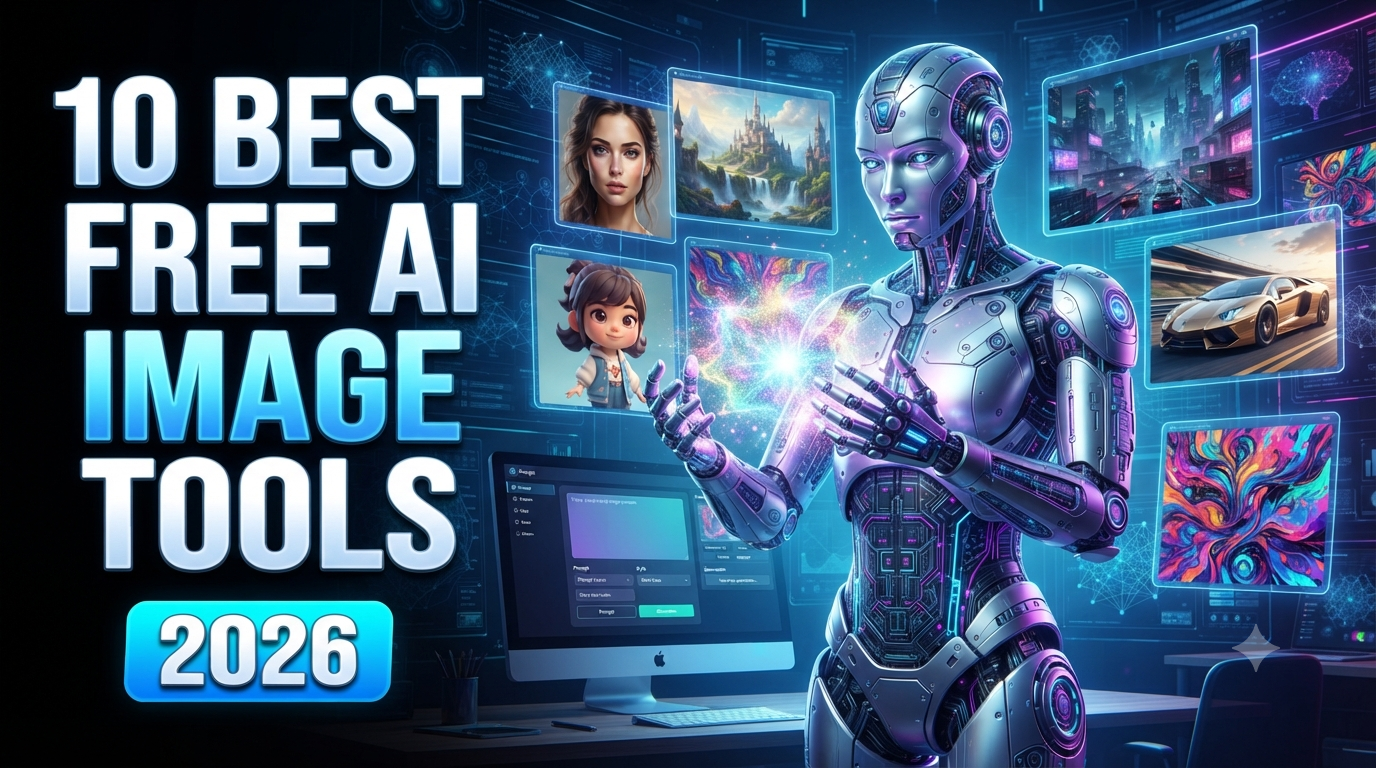
10 Best Free AI Image Generator Websites in 2026
Artificial intelligence has completely changed the way people create digital images. A few years ago, creating a professional illustration, marketing graphic, product concept, or realistic image required design skills and expensive software. In 2026, anyone can generate impressive images simply by describing what they want.
Free AI image generator websites make this technology accessible to everyone. You can type a prompt such as “a futuristic city at sunset with flying cars, cinematic lighting, ultra-detailed”, and an AI model can create an original image based on your description.
Whether you are a YouTube creator, blogger, social media marketer, business owner, designer, student, or casual user, AI image generators can help you create visual content much faster.
However, not every AI image generator is designed for the same purpose. Some are better for realistic images, while others are excellent for illustrations, logos, posters, thumbnails, characters, or images containing text.
In this guide, we will look at the 10 best free AI image generator websites in 2026, including their main features, best use cases, advantages, limitations, and tips for getting better results.
Note: Free credits, image limits, models, resolution, watermarks, and commercial-use policies can change frequently. Always check the current terms on each platform before using generated images for commercial projects.
Quick Comparison: Best Free AI Image Generators in 2026
| AI Image Generator | Best For | Free Access | Main Strength |
|---|---|---|---|
| Google Gemini | General image generation | Yes, limits apply | Easy prompting and editing |
| ChatGPT | Beginners and editing | Plan-dependent | Conversational image creation |
| Microsoft Copilot | Quick free images | Yes, limits apply | Simple image generation |
| Leonardo AI | Creative artwork | Free tier | Characters and visual styles |
| Ideogram | Text in images | Free tier | Posters and typography |
| Adobe Firefly | Design and business | Free credits | Adobe ecosystem |
| Canva AI | Social media designs | Free tier | Templates + AI |
| Stable Diffusion | Advanced users | Free/open models | Customization |
| Freepik AI | Designers | Free limits | Design workflow |
| Craiyon | Simple experiments | Free access | Easy generation |
1. Google Gemini
Best for: Overall AI image generation and editing
Google Gemini has become one of the easiest ways for users to experiment with AI-generated images.
Instead of learning complicated image-generation settings, users can describe what they want in natural language. Gemini can also work conversationally, allowing users to refine an image idea through additional instructions.
For example, you could start with:
“Create a realistic image of a modern luxury house surrounded by mountains at sunset.”
Then you could continue:
“Make the house larger and add a swimming pool.”
This conversational approach makes image creation accessible even for beginners.
Gemini is useful for creating concepts, illustrations, social media graphics, educational visuals, product ideas, and many other types of images.
Best for:
-
Beginners
-
Realistic images
-
Creative concepts
-
Image editing
-
Social media content
-
Educational images
Why use Gemini?
The biggest advantage is simplicity. You can communicate with the AI almost like you are talking to a designer.
2. ChatGPT
Best for: Conversational image creation and editing
ChatGPT is another powerful option for generating and modifying images using natural-language instructions.
Instead of manually adjusting dozens of settings, you can describe the desired result and then ask for changes.
For example:
“Create a professional YouTube thumbnail about AI tools.”
You can then ask:
“Make the text larger.”
Or:
“Change the background to a futuristic blue technology environment.”
This makes the workflow particularly useful for creators who need multiple revisions.
ChatGPT can be useful for:
-
YouTube thumbnails
-
Blog images
-
Illustrations
-
Marketing graphics
-
Concept art
-
Social media images
-
Educational visuals
Best for:
Beginners who want to create and refine images through conversation.
Availability and image-generation limits depend on the current ChatGPT plan and product configuration.
3. Microsoft Copilot
Best for: Quick and easy AI image generation
Microsoft Copilot provides an easy way to experiment with AI-generated images without requiring advanced design knowledge.
Users can describe a scene and generate an image based on the prompt.
For example:
“A futuristic AI robot sitting in front of multiple computer screens, cinematic lighting, realistic photography.”
Copilot is particularly useful for casual users who want to generate an image quickly.
It can be used for:
-
Social media graphics
-
Creative concepts
-
Wallpapers
-
Illustrations
-
Blog visuals
-
AI experiments
Best for:
-
Beginners
-
Quick image generation
-
Casual users
-
Creative concepts
One of its biggest advantages is the straightforward user experience.
4. Leonardo AI
Best for: Creative artwork, characters, and game assets
Leonardo AI is popular among artists, game developers, content creators, and designers.
It provides tools for generating different types of visual content, including characters, environments, concept art, illustrations, and creative assets.
Leonardo is particularly interesting when you want more control over the visual style.
For example, you can generate:
-
Fantasy characters
-
Game environments
-
Anime-style artwork
-
Cinematic scenes
-
Product concepts
-
Digital paintings
-
Character designs
The platform provides a free tier with usage limitations, and available models and credits can change over time.
Best for:
-
Digital artists
-
Game designers
-
Character creation
-
Concept art
-
Fantasy artwork
-
Creative projects
Why choose Leonardo?
If you want more creative control than a basic image generator provides, Leonardo is worth testing.
5. Ideogram
Best for: Images containing text, posters, and thumbnails
One of the biggest challenges in AI image generation has traditionally been getting accurate text inside images.
Ideogram became especially popular because of its focus on typography and text rendering.
This makes it useful for:
-
Posters
-
YouTube thumbnails
-
Advertisements
-
Social media graphics
-
Quote images
-
Event banners
-
Marketing designs
For example, you could prompt:
“Create a modern YouTube thumbnail with large readable text saying ‘10 BEST AI TOOLS 2026’, futuristic technology background, dramatic lighting.”
Ideogram is particularly useful when the exact wording in the image matters.
Best for:
-
YouTube thumbnails
-
Posters
-
Text-based graphics
-
Advertisements
-
Social media designs
If your AI images regularly require large text, Ideogram is one of the platforms worth testing.
6. Adobe Firefly
Best for: Professional design and creative workflows
Adobe Firefly is designed to bring generative AI into Adobe's broader creative ecosystem.
It can be useful for generating images, creating design concepts, modifying existing visuals, and experimenting with creative ideas.
For designers already using Adobe products, Firefly can be especially convenient.
Possible applications include:
-
Marketing graphics
-
Product concepts
-
Background generation
-
Advertising visuals
-
Creative artwork
-
Design experiments
Adobe has also focused heavily on responsible generative AI and commercially oriented creative workflows.
Firefly offers free access with limits, while more extensive usage may require a paid Adobe plan.
Best for:
-
Graphic designers
-
Businesses
-
Marketing teams
-
Adobe users
-
Professional creative work
7. Canva AI
Best for: Social media and marketing designs
Canva is already one of the world's most popular online design platforms, and its AI features make image creation even easier.
Instead of generating an image and then moving to another application to design a post, you can combine AI-generated content with Canva's templates, fonts, graphics, layouts, and editing tools.
This makes Canva particularly useful for small businesses and social media creators.
You can create:
-
Instagram posts
-
YouTube thumbnails
-
Facebook graphics
-
Presentations
-
Posters
-
Business advertisements
-
Blog graphics
Best for:
-
Beginners
-
Social media creators
-
Small businesses
-
Marketing teams
-
Teachers
-
Bloggers
The free plan provides access to a selection of AI and design features, although limits apply.
8. Stable Diffusion
Best for: Advanced customization and control
Stable Diffusion is different from many beginner-focused AI image generators.
It is an ecosystem of open and customizable image-generation models that can be used through different interfaces and services.
Advanced users can customize models, workflows, styles, and generation parameters.
This makes Stable Diffusion particularly interesting for people who want more control over the image-generation process.
It can be used for:
-
Concept art
-
Character design
-
Digital artwork
-
Product concepts
-
Research
-
Custom workflows
Best for:
-
Advanced AI users
-
Developers
-
Digital artists
-
Researchers
-
Custom workflows
The main disadvantage is that Stable Diffusion can have a steeper learning curve than simple browser-based generators.
9. Freepik AI
Best for: Designers and marketing content
Freepik is widely used by designers for stock images, vectors, templates, and other creative resources. Its AI tools add image-generation capabilities to that broader design ecosystem.
This can be useful because designers can combine AI-generated images with existing templates and creative assets.
Freepik AI can help with:
-
Marketing images
-
Social media posts
-
Product visuals
-
Illustrations
-
Advertising concepts
-
Creative backgrounds
Best for:
-
Graphic designers
-
Social media managers
-
Marketing teams
-
Bloggers
-
Small businesses
Free usage is available with limitations, while additional generations and features may require a paid plan.
10. Craiyon
Best for: Simple AI image experiments
Craiyon is one of the simpler AI image-generation websites.
It is useful for people who want to experiment with text-to-image generation without learning complicated tools.
You can enter a simple description and generate visual results based on the prompt.
Craiyon can be useful for:
-
Brainstorming
-
Simple illustrations
-
Educational experiments
-
Creative ideas
-
AI testing
Best for:
Beginners who want to experiment with AI image generation.
Compared with more advanced platforms, Craiyon may provide less control and lower-quality results for certain professional use cases.
How to Write Better AI Image Prompts
The quality of an AI-generated image depends heavily on the prompt.
A simple prompt might be:
“A man in a city.”
This gives the AI very little information.
A stronger prompt would be:
“A young professional man walking through a modern downtown city at sunset, wearing a black business suit, cinematic lighting, realistic photography, shallow depth of field, dramatic sky, detailed buildings, natural pose, high-quality commercial photography.”
The second prompt gives the AI much more information.
Include These Elements in Your Prompt
1. Subject
Tell the AI exactly what should appear.
Example:
“A futuristic humanoid AI robot.”
2. Location
Describe the environment.
“Inside a modern technology laboratory.”
3. Lighting
Specify the lighting style.
“Cinematic blue and purple lighting.”
4. Camera Style
You can specify:
-
Close-up
-
Wide angle
-
Portrait
-
Aerial view
-
Low-angle shot
-
Product photography
5. Visual Style
Examples include:
-
Photorealistic
-
Cinematic
-
3D render
-
Digital art
-
Cartoon
-
Anime
-
Watercolor
-
Editorial photography
6. Aspect Ratio
For YouTube thumbnails, use:
16:9
For YouTube Shorts and Instagram Reels:
9:16
For Instagram posts:
1:1 or 4:5
Are Free AI Image Generators Actually Free?
Yes, but most platforms place some restrictions on free usage.
A free plan may include:
-
Daily generations
-
Monthly credits
-
Limited image resolution
-
Watermarks
-
Slower generation
-
Limited models
-
Commercial-use restrictions
-
Limited editing features
Therefore, users should always read the current terms before using AI-generated images commercially.
A free account is usually excellent for learning, testing prompts, creating personal content, and deciding which platform fits your workflow.
Can You Use AI-Generated Images Commercially?
Sometimes, but it depends on the platform and the specific plan.
Commercial rights can vary based on:
-
The AI model
-
Your subscription
-
The type of generated content
-
Platform licensing terms
-
Whether the image contains third-party copyrighted material
If you are creating images for a business, client, advertisement, product, or monetized website, always review the platform's current commercial-use policy.
Do not assume that “free” automatically means “free for commercial use.”
Which AI Image Generator Is Best in 2026?
The answer depends on what you need.
Best Overall
Google Gemini
A strong choice for people who want simple conversational image generation and editing.
Best for Beginners
ChatGPT or Microsoft Copilot
Both provide straightforward natural-language workflows.
Best for Text in Images
Ideogram
A strong choice for thumbnails, posters, and typography-focused graphics.
Best for Creative Artwork
Leonardo AI
Excellent for characters, fantasy artwork, concept art, and creative projects.
Best for Professional Design
Adobe Firefly
A good option for designers and people working inside the Adobe ecosystem.
Best for Social Media
Canva AI
Useful for combining AI-generated images with templates and complete social-media designs.
Best for Advanced Users
Stable Diffusion
A powerful choice for users who want customization and control.
Final Verdict
AI image generators are becoming one of the most useful creative technologies available online.
You no longer need advanced Photoshop skills or expensive equipment to create attractive digital images. With a simple prompt, you can generate realistic photographs, illustrations, characters, advertisements, posters, thumbnails, product concepts, and social media graphics.
For beginners, Google Gemini, ChatGPT, Microsoft Copilot, and Canva are excellent places to start.
For creative professionals, Leonardo AI, Ideogram, Adobe Firefly, and Stable Diffusion offer more specialized capabilities.
The best approach is to test several platforms rather than relying on a single tool. Use the same prompt across multiple generators and compare image quality, speed, editing capabilities, free credits, and licensing.
Most importantly, remember that free plans can change. AI companies regularly update their models, credit systems, resolution limits, and commercial-use policies.
If you are looking for the best free AI image generator in 2026, start by identifying what you actually need: realistic images, creative artwork, text-based graphics, social media designs, or advanced customization.
Once you know your goal, choosing the right AI image generator becomes much easier.
Frequently Asked Questions
What is the best free AI image generator in 2026?
There is no single best tool for everyone. Gemini and ChatGPT are convenient general-purpose options, while Ideogram is excellent for text-based graphics and Leonardo AI is strong for creative artwork.
Can I generate AI images for free?
Yes. Many platforms provide free credits or limited free generations. However, the number of images you can create and available features vary by platform.
Which AI image generator is best for YouTube thumbnails?
Ideogram, Canva, ChatGPT, and other modern image-generation tools can be useful for YouTube thumbnails. Ideogram is particularly helpful when accurate text inside the image is important.
Which AI image generator is best for beginners?
Google Gemini, ChatGPT, Microsoft Copilot, and Canva are among the easiest options because they don't require extensive technical knowledge.
Can AI-generated images be used on websites?
Generally, AI-generated images can be used on websites, but you should check the specific platform's current licensing and commercial-use terms before publishing them on a business or monetized website.
Are AI-generated images copyright-free?
Not automatically. Copyright and licensing can depend on the platform, model, jurisdiction, and how the image was generated. Always review the applicable terms before using an image commercially.